Runtime Upgrades

Introduction
Upgrading the runtime of your Polkadot SDK-based blockchain is a fundamental feature that allows you to add new functionality, fix bugs, or improve performance without requiring a hard fork. Runtime upgrades are performed by submitting a special extrinsic that replaces the existing on-chain WebAssembly (Wasm) runtime code. This process is trustless, transparent, and can be executed either through governance or using sudo, depending on your chain's configuration.
This tutorial guides you through preparing, submitting, and verifying a runtime upgrade for your parachain or standalone Polkadot SDK-based chain. You add a new dispatchable function to your custom pallet, bump the runtime version, build the new Wasm binary, and submit the upgrade through Polkadot.js Apps.
Prerequisites
Complete the following before you begin:
- Complete the Install Polkadot SDK guide.
- Set up and run the parachain template by following the Set Up the Parachain Template tutorial.
- Create and integrate a custom pallet by following the Create a Custom Pallet tutorial.
- Ensure access to Polkadot.js Apps connected to your local node.
Start Your Chain
If you don't already have the parachain template running, start the Omni Node in development mode:
Once the node is running and producing blocks, open Polkadot.js Apps and connect it to your local node at ws://127.0.0.1:9944.
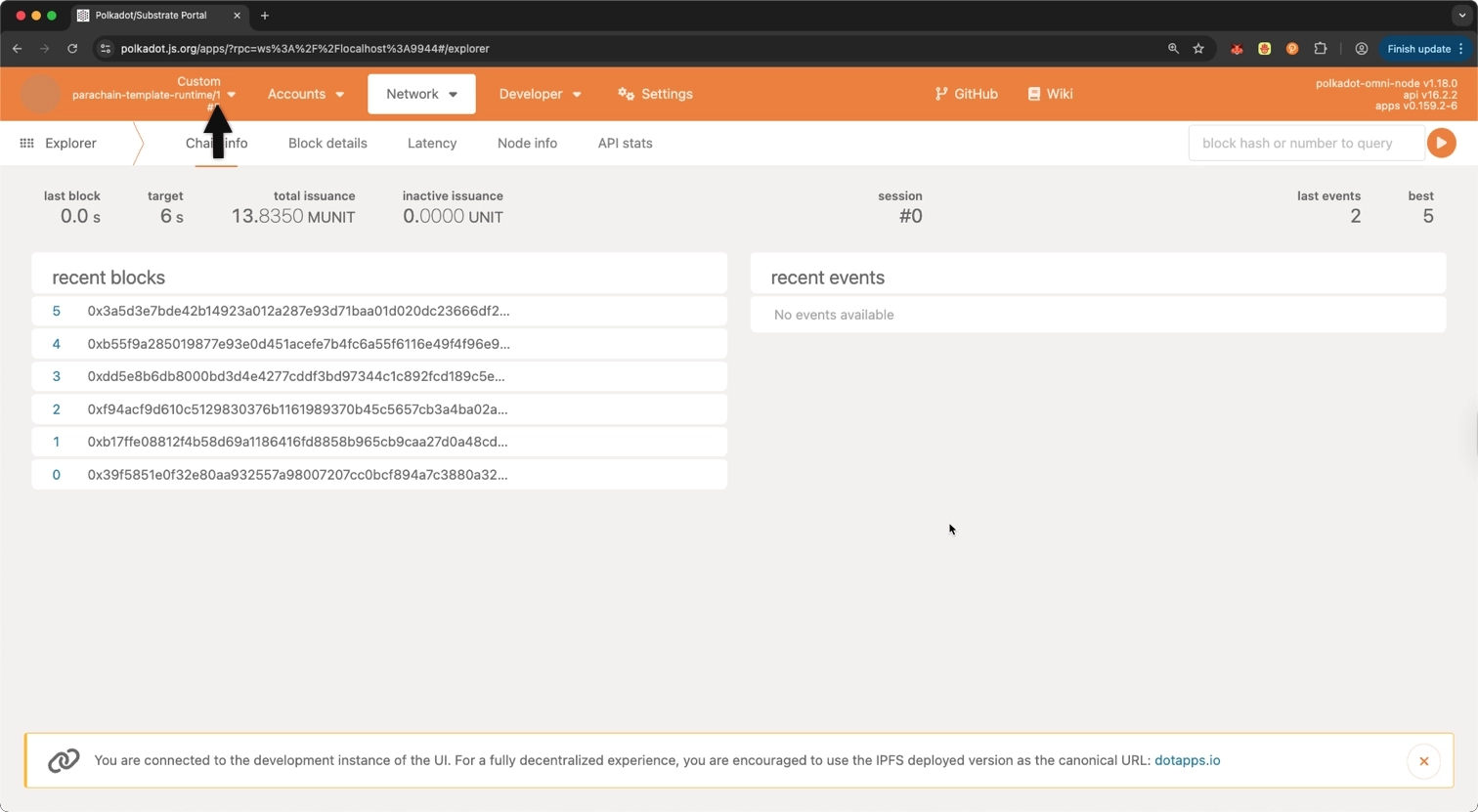
Verify your chain is operational. You should see parachain-template-runtime/1 in the top left corner of the Polkadot.js Apps header, indicating the chain is running with spec version 1:
Keep this chain running in the background.
Add a New Feature
Extend your existing custom pallet by adding a new dispatchable function to reset the counter to zero. This provides a meaningful upgrade that demonstrates new functionality.
Open your custom pallet's lib.rs file and add the following function inside the #[pallet::call] block, after the existing dispatchables:
/// Reset the counter to zero.
///
/// The dispatch origin of this call must be _Root_.
///
/// Emits `CounterValueSet` event when successful.
#[pallet::call_index(3)]
#[pallet::weight(0)]
pub fn reset_counter(origin: OriginFor<T>) -> DispatchResult {
    ensure_root(origin)?;
    <CounterValue<T>>::put(0u32);
    Self::deposit_event(Event::CounterValueSet { counter_value: 0 });
    Ok(())
}
The reset_counter function is a Root-only operation that sets the counter value back to zero, regardless of its current state. This is useful for administrative purposes. Unlike the existing increment and decrement functions that any signed user can call, this reset function requires Root privileges, making it a controlled administrative action.
Ensure that your runtime compiles correctly:
Bump the Runtime Version
Before building the final Wasm binary, you must increment the spec_version in the runtime. This tells the chain's executor that the new runtime contains changes and should replace the current one.
Open runtime/src/lib.rs and find the VERSION constant. The current version looks like this:
#[sp_version::runtime_version]
pub const VERSION: RuntimeVersion = RuntimeVersion {
    spec_name: alloc::borrow::Cow::Borrowed("parachain-template-runtime"),
    impl_name: alloc::borrow::Cow::Borrowed("parachain-template-runtime"),
    authoring_version: 1,
    spec_version: 1,
    impl_version: 0,
    apis: apis::RUNTIME_API_VERSIONS,
    transaction_version: 1,
    system_version: 1,
};
Change spec_version from 1 to 2:
#[sp_version::runtime_version]
pub const VERSION: RuntimeVersion = RuntimeVersion {
    spec_name: alloc::borrow::Cow::Borrowed("parachain-template-runtime"),
    impl_name: alloc::borrow::Cow::Borrowed("parachain-template-runtime"),
    authoring_version: 1,
    spec_version: 2,
    impl_version: 0,
    apis: apis::RUNTIME_API_VERSIONS,
    transaction_version: 1,
    system_version: 1,
};
Warning
Forgetting to bump spec_version is a common mistake. If you submit a runtime upgrade without incrementing this value, the chain will not recognize it as a new runtime, and the upgrade will have no effect.
Build the New Runtime
With the new feature added and the version bumped, build the runtime:
After compilation, verify the Wasm binaries were generated:
parachain_template_runtime.wasm parachain_template_runtime.compact.wasm parachain_template_runtime.compact.compressed.wasm
In the next section, you'll use the .compact.compressed.wasm file for the upgrade, as it's the smallest and most efficient format.
Submit the Runtime Upgrade
Now submit the new runtime to the chain using the Sudo pallet through Polkadot.js Apps.
-
Open Polkadot.js Apps and connect to your node:
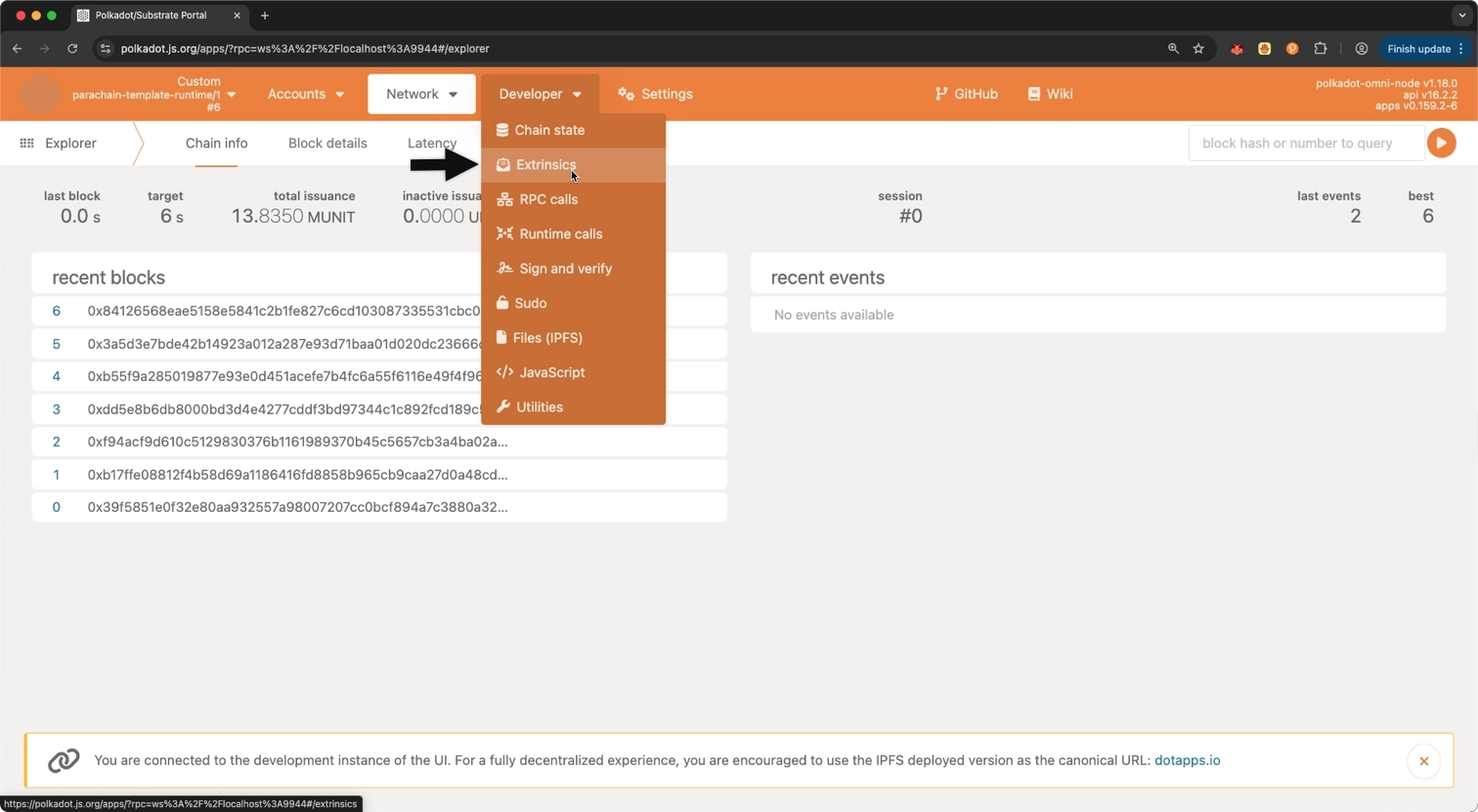
- Click on Developer.
- Select Extrinsics from the dropdown.
-
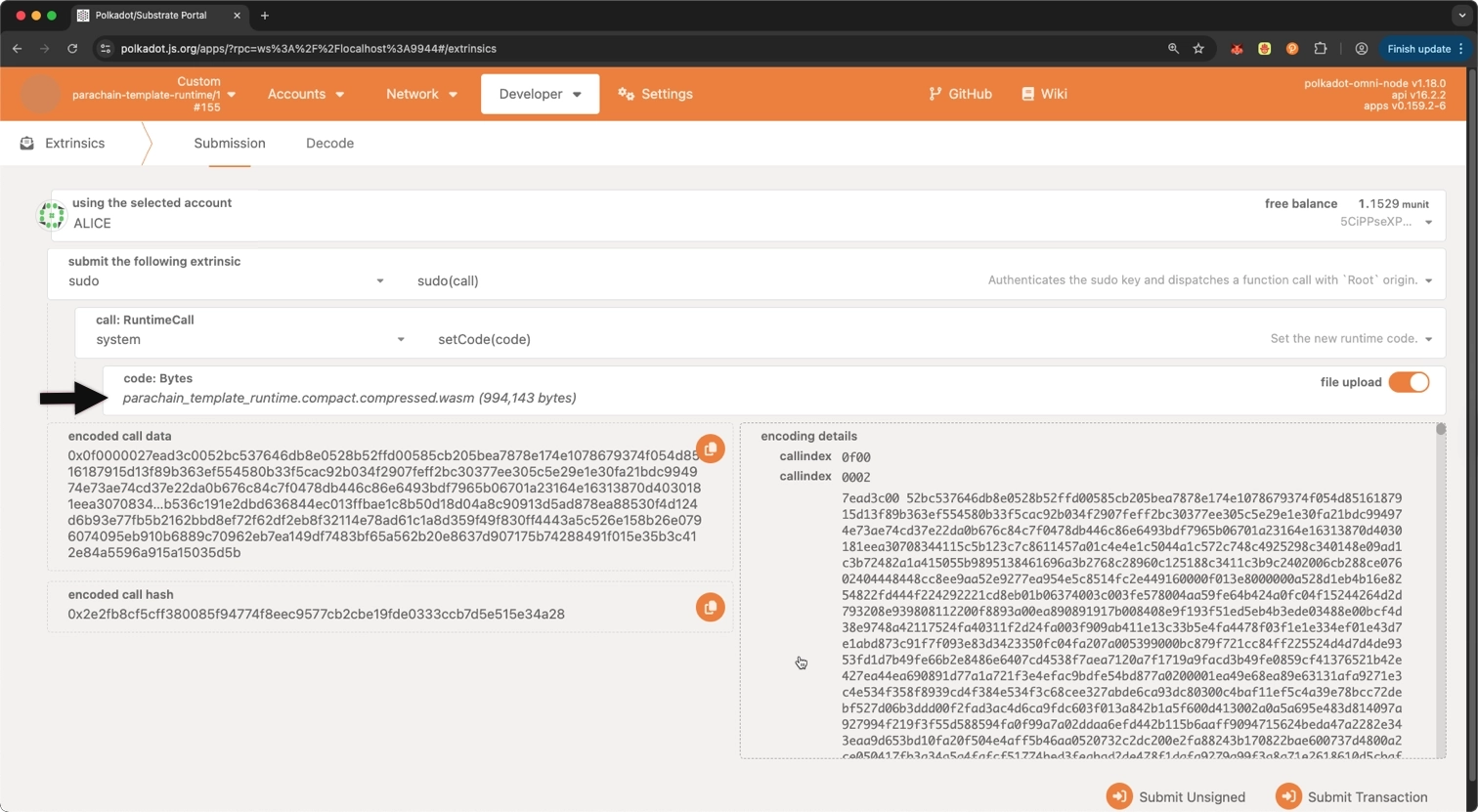
Prepare the sudo call:
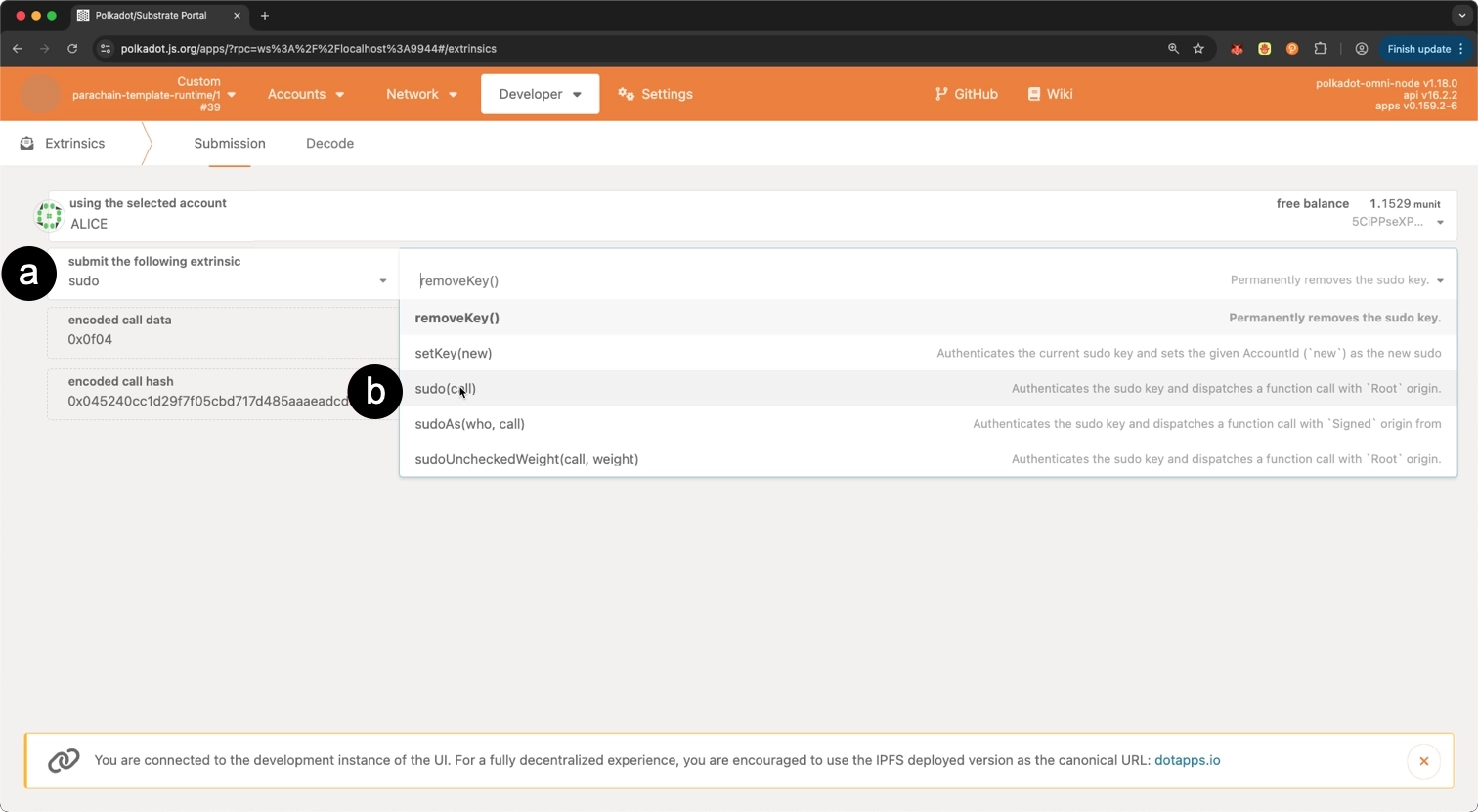
- Select the sudo pallet.
- Select the sudo(call) extrinsic from the list.
-
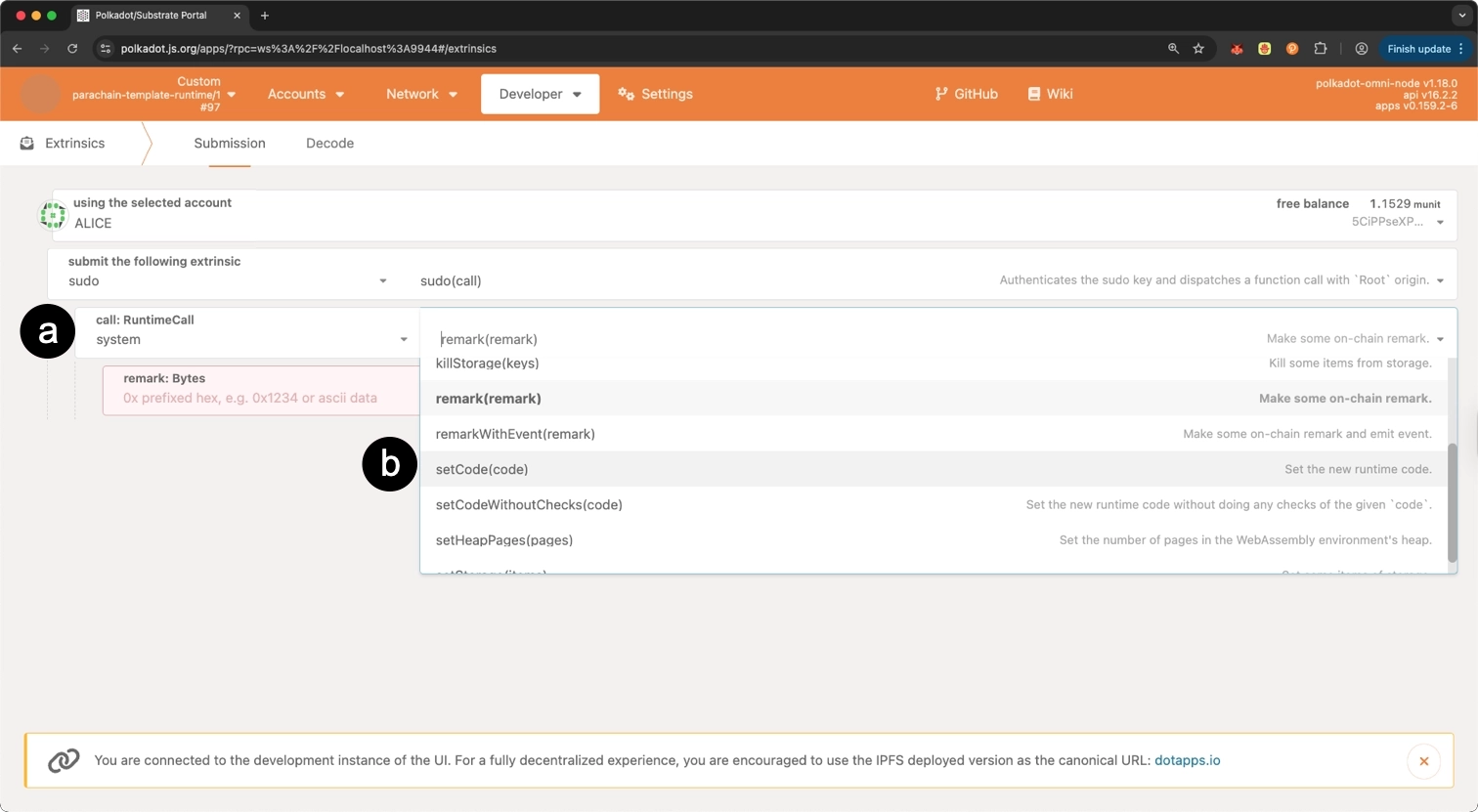
In the sudo call:
- Select the system pallet.
- Select the setCode(code) extrinsic from the list.
-
Upload the Wasm binary for the
codeparameter:- Click file upload.
- Select the
parachain_template_runtime.compact.compressed.wasmfile fromtarget/release/wbuild/parachain-template-runtime/.
-
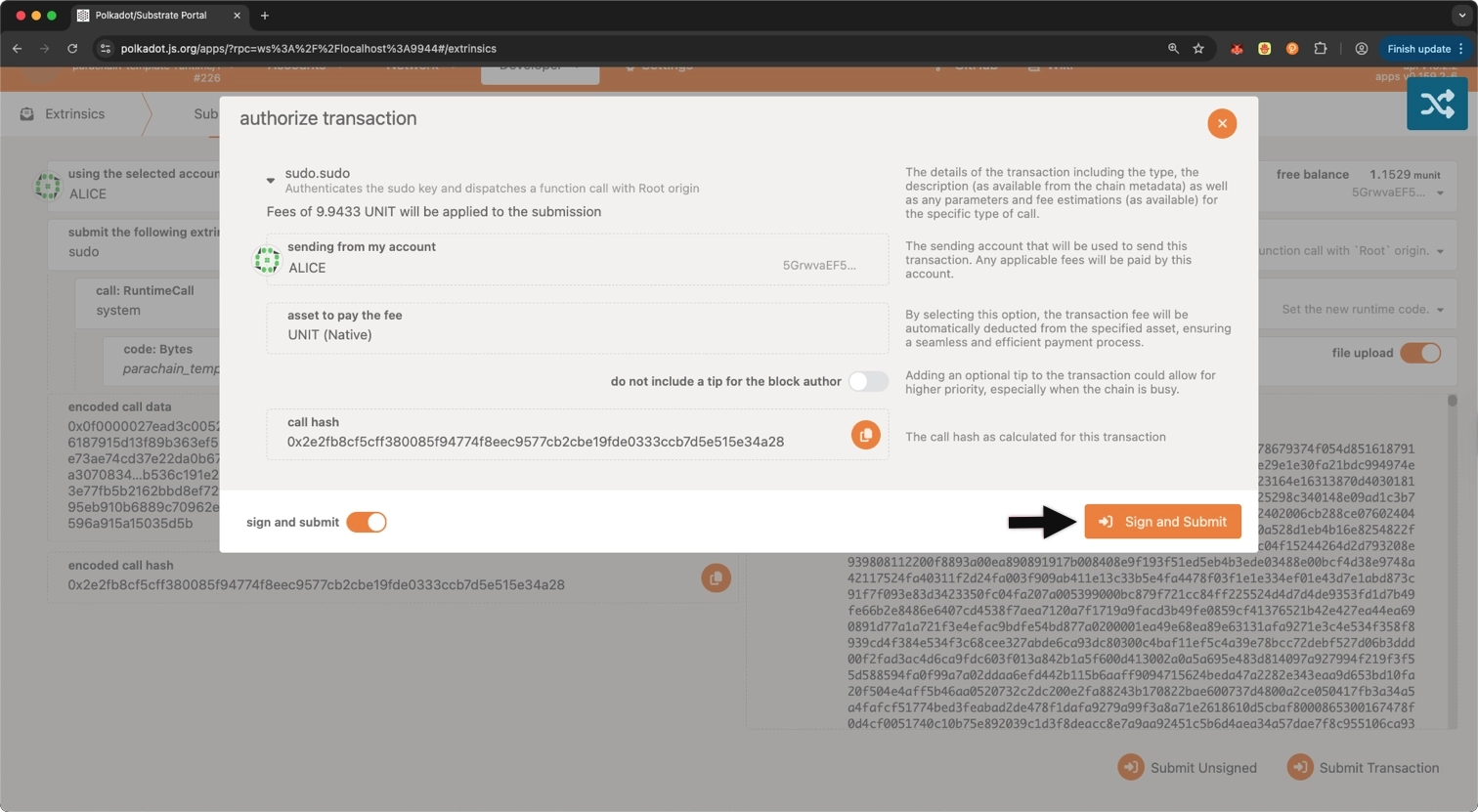
Click Submit Transaction and sign the transaction with the sudo key.
Info
On production chains, runtime upgrades are submitted through governance rather than Sudo. The process involves a referendum where token holders vote to approve the upgrade.
After the transaction is included in a block, the runtime upgrade takes effect immediately.
Verify the Upgrade
Check Runtime Version
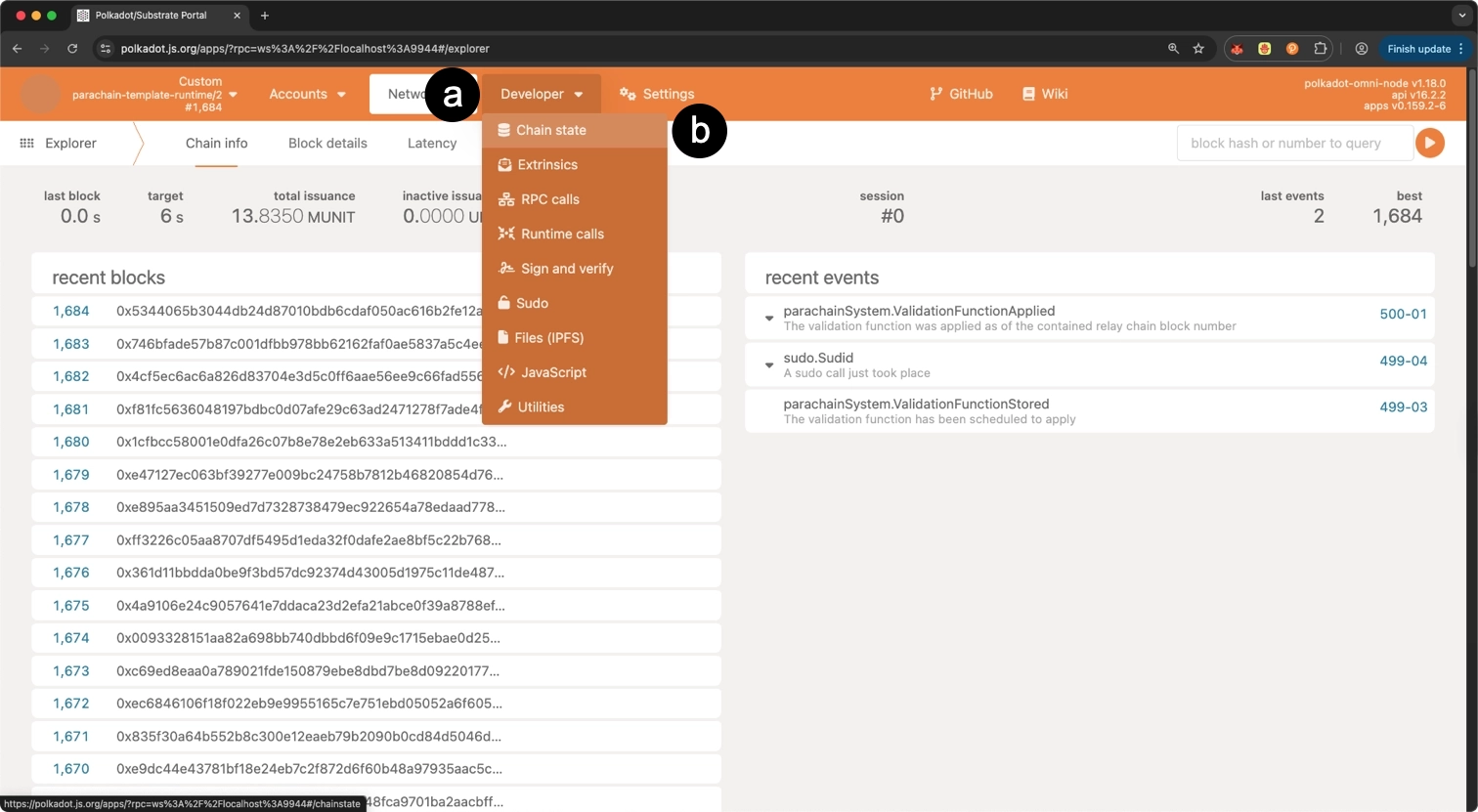
To confirm the upgrade was successful, navigate to the Developer dropdown and select Chain State. The runtime version in the header changes to parachain-template-runtime/2. Additionally, the recent events show parachainSystem.ValidationFunctionApplied, confirming the upgrade was applied:
Query the on-chain runtime version:
-
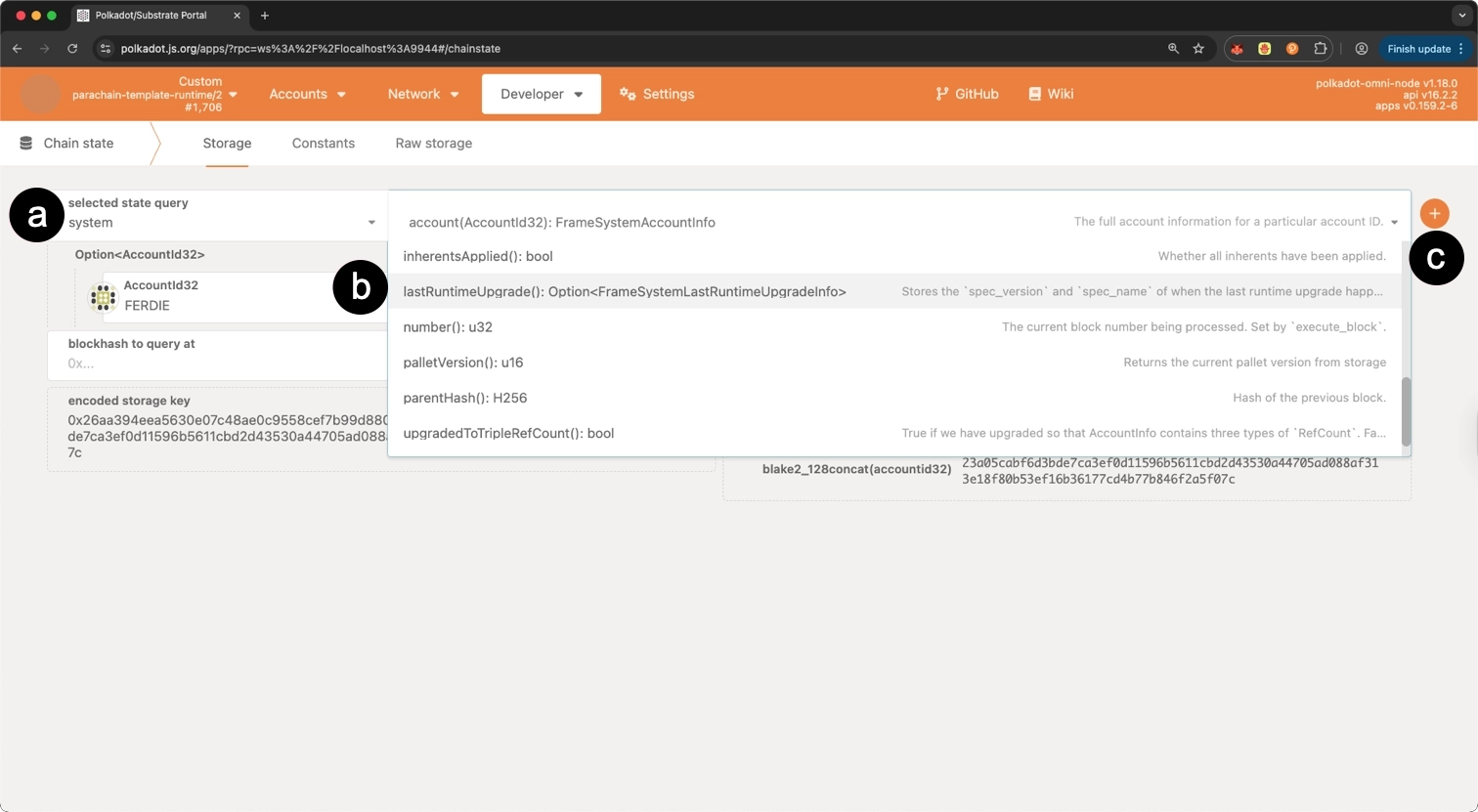
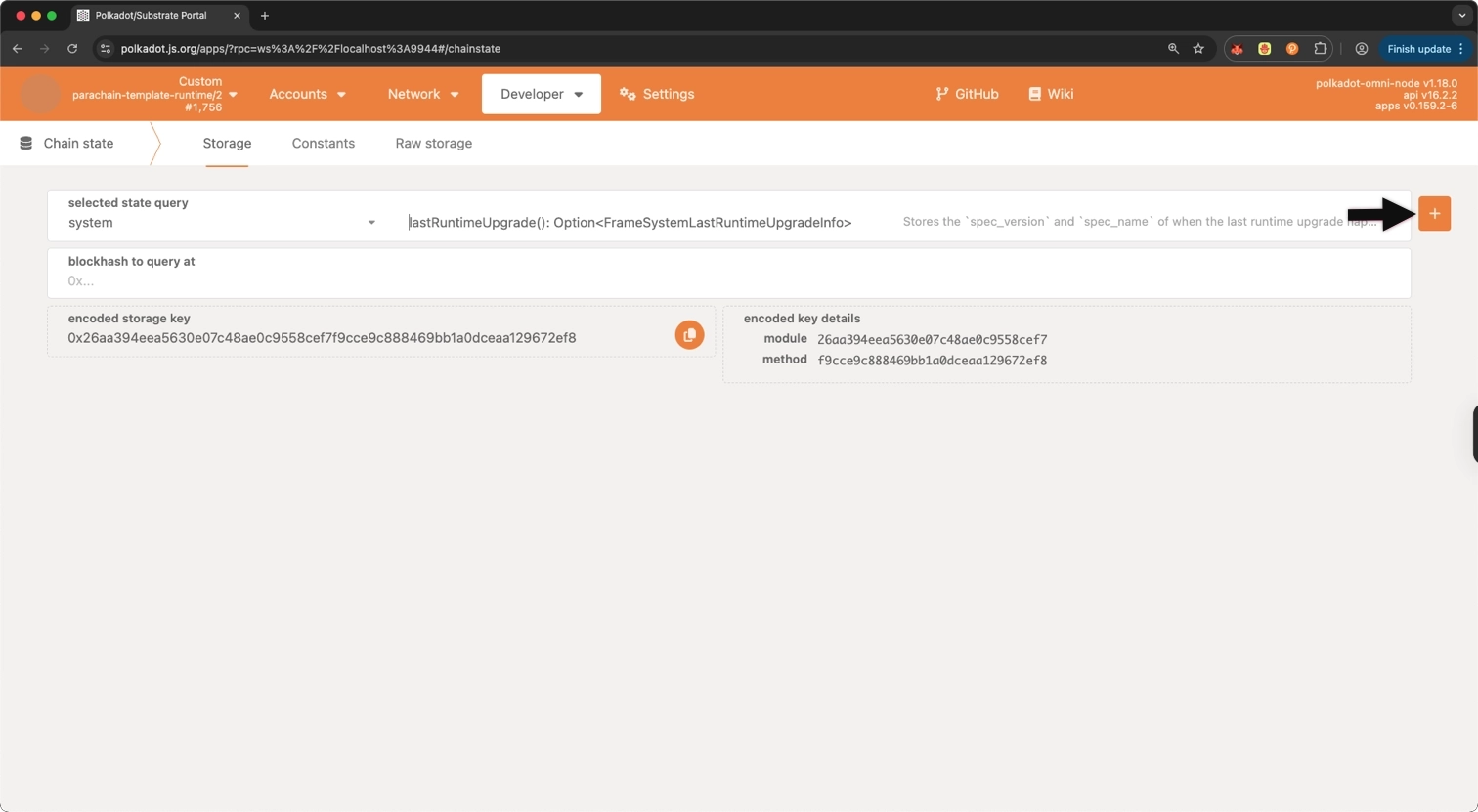
Query the last runtime upgrade:
- Select the system pallet.
- Select lastRuntimeUpgrade() from the query dropdown.
-
Click the + button to execute the query.
-
The result should show
specVersion: 2, confirming the upgrade was applied.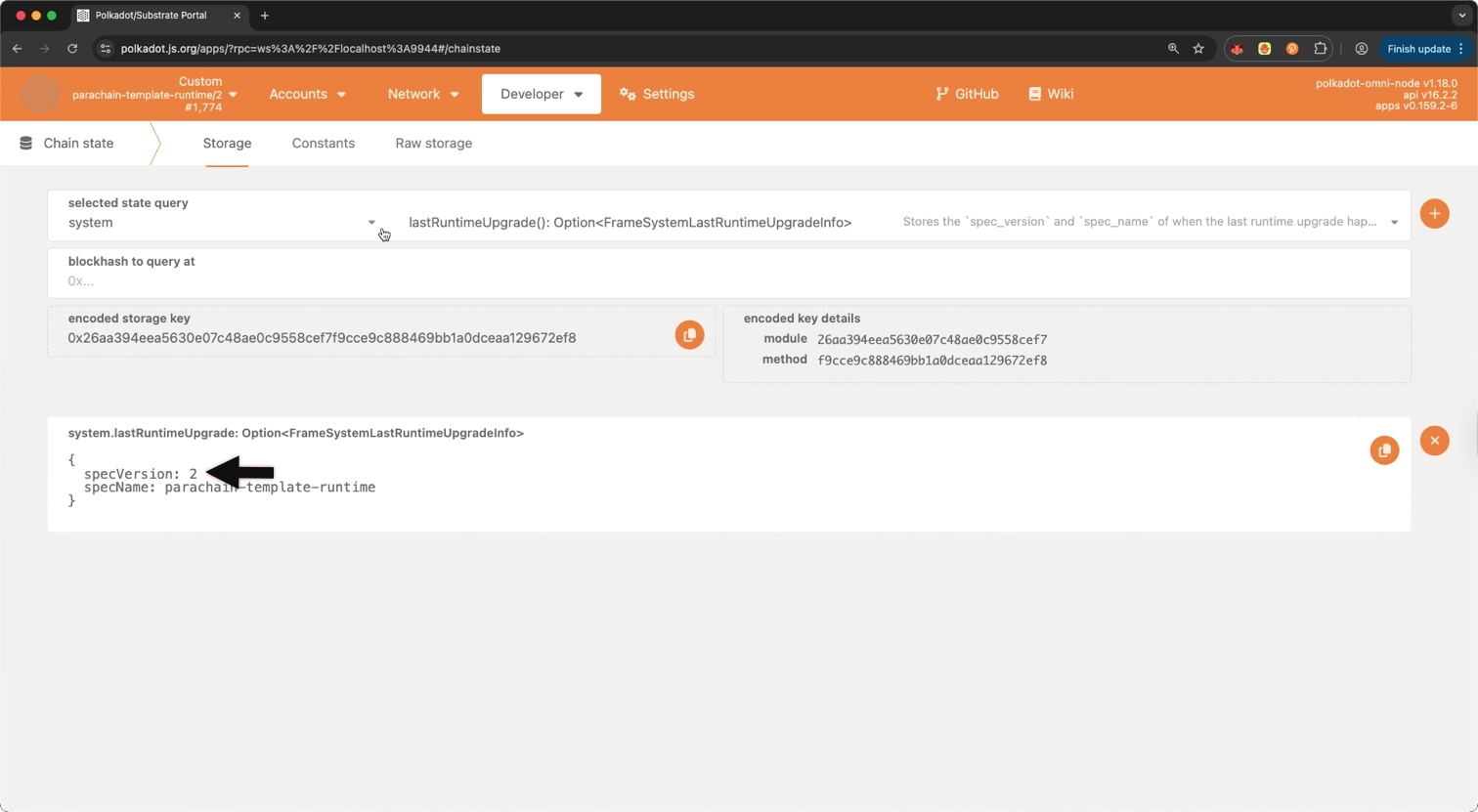
Test New Functionality
Navigate to Developer > Extrinsics and select your customPallet. The new resetCounter function appears alongside the existing increment, decrement, and setCounterValue functions.
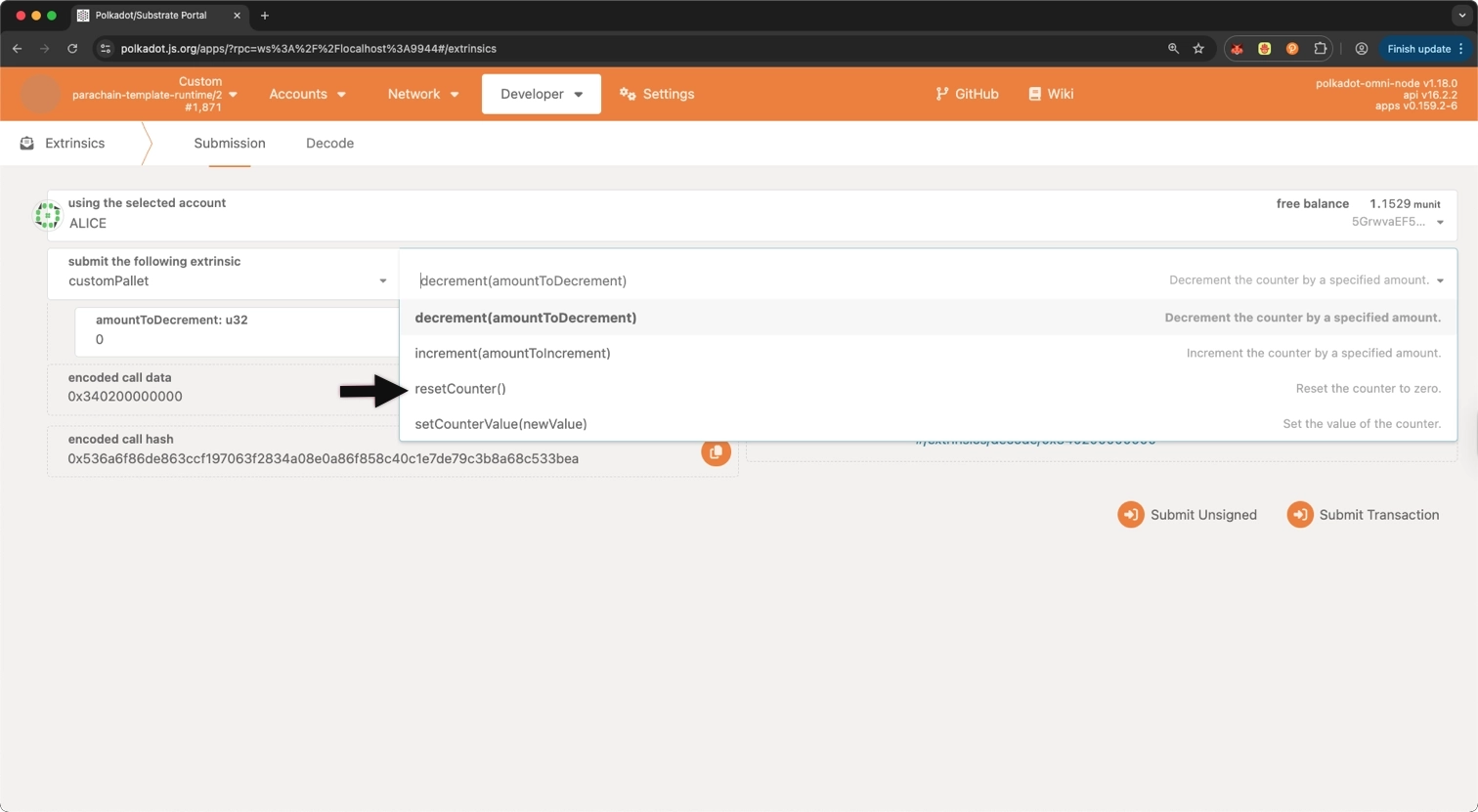
Test the new functionality:
- Increment the counter using the existing
incrementfunction. - Use the new
resetCounterfunction (requires sudo/root privileges). - Verify the counter value is reset to
0.
Where to Go Next
-
Guide Storage Migrations
Learn how to write and manage storage migrations when runtime upgrades change how data is stored on-chain.
-
Tutorial Create a Custom Pallet
Learn how to build a custom pallet from scratch to add new functionality to your Polkadot SDK-based runtime.
| Created: October 18, 2024