Deploy an NFT with Remix
Introduction
Non-Fungible Tokens (NFTs) represent unique digital assets commonly used for digital art, collectibles, gaming, and identity verification.
This guide demonstrates how to deploy an ERC-721 NFT contract to Polkadot Hub. You'll use OpenZeppelin's battle-tested NFT implementation and Remix, a visual, browser-based environment perfect for rapid prototyping and learning. It requires no local installation and provides an intuitive interface for contract development.
Prerequisites
- A basic understanding of Solidity programming and ERC-721 NFT standards.
- An EVM-compatible wallet connected to Polkadot Hub. This example utilizes MetaMask.
- Test tokens for gas fees (available from the Polkadot faucet). See Get Test Tokens for a guide to using the faucet.
Create Your Contract
Follow the steps below to create the ERC-721 contract:
- Navigate to Remix IDE in your web browser.
-
Select the Create new file button under the contracts folder, and name your contract
MyNFT.sol.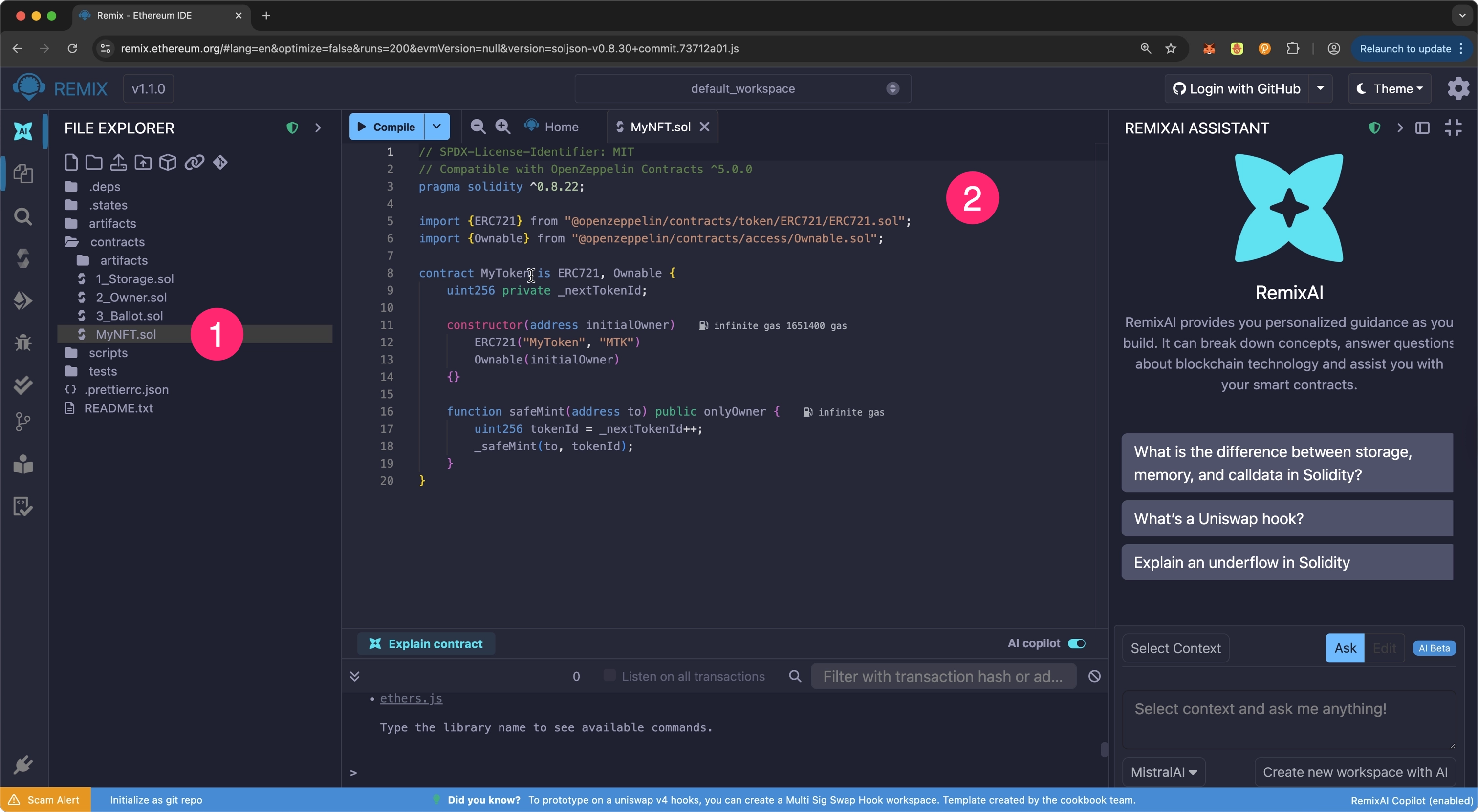
-
Now, paste the following ERC-721 contract code into
MyNFT.sol:contracts/MyNFT.sol// SPDX-License-Identifier: MIT pragma solidity ^0.8.20; import "@openzeppelin/contracts/token/ERC721/ERC721.sol"; import "@openzeppelin/contracts/access/Ownable.sol"; contract MyNFT is ERC721, Ownable { uint256 private _nextTokenId; constructor( address initialOwner ) ERC721("MyToken", "MTK") Ownable(initialOwner) {} function safeMint(address to) public onlyOwner { uint256 tokenId = _nextTokenId++; _safeMint(to, tokenId); } }Tip
The OpenZeppelin Contracts Wizard for Polkadot was used to generate this example ERC-721 contract. Use it to customize and generate your own ERC-20, ERC-721, or other OpenZeppelin-standard contracts for Polkadot Hub.
Compile the Contract
Solidity source code compiles into bytecode that can be deployed on the blockchain. During this process, the compiler checks the contract for syntax errors, ensures type safety, and generates the machine-readable instructions needed for blockchain execution.
Ensure your MyNFT.sol contract is open in the Remix IDE Editor, and use the following steps to compile:
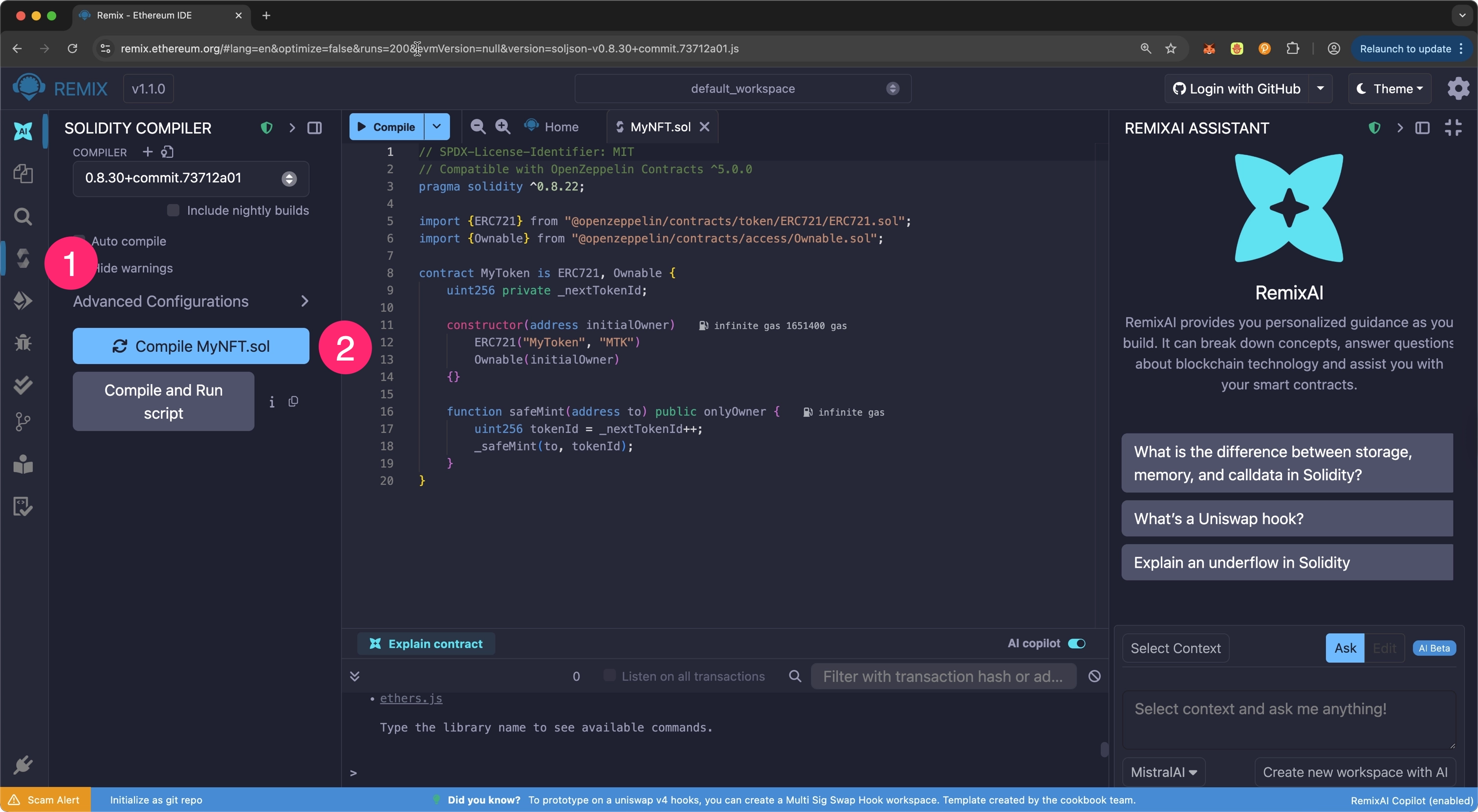
- Select the Solidity Compiler plugin from the left panel.
- Select the Compile MyToken.sol button.
The Solidity Compiler icon will display a green checkmark once the contract compiles successfully. If any issues arise during contract compilation, errors and warnings will appear in the terminal panel at the bottom of the screen.
Deploy the Contract
Follow these steps to deploy the contract using Remix:
- Select Deploy & Run Transactions from the left panel.
-
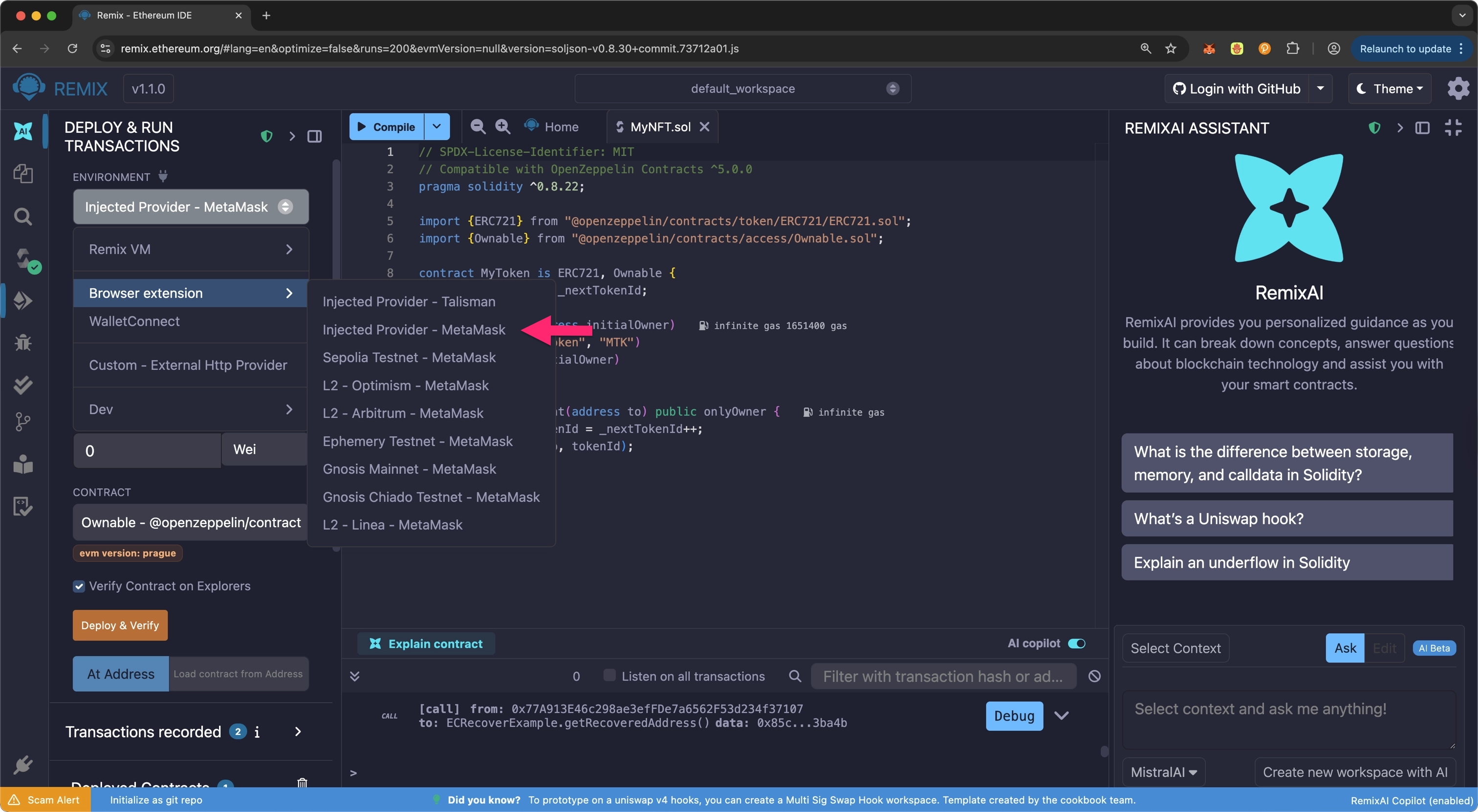
Ensure your MetaMask wallet is connected to Polkadot Hub TestNet, then select the Environment dropdown and select Injected Provider - MetaMask.
-
Configure the contract parameters by entering the address that will own the deployed NFT contract.
- Select the Deploy button to initiate the deployment.
- Approve the transaction in your MetaMask wallet when prompted.
- You will see the transaction details in the terminal when the deployment succeeds, including the contract address and deployment transaction hash.
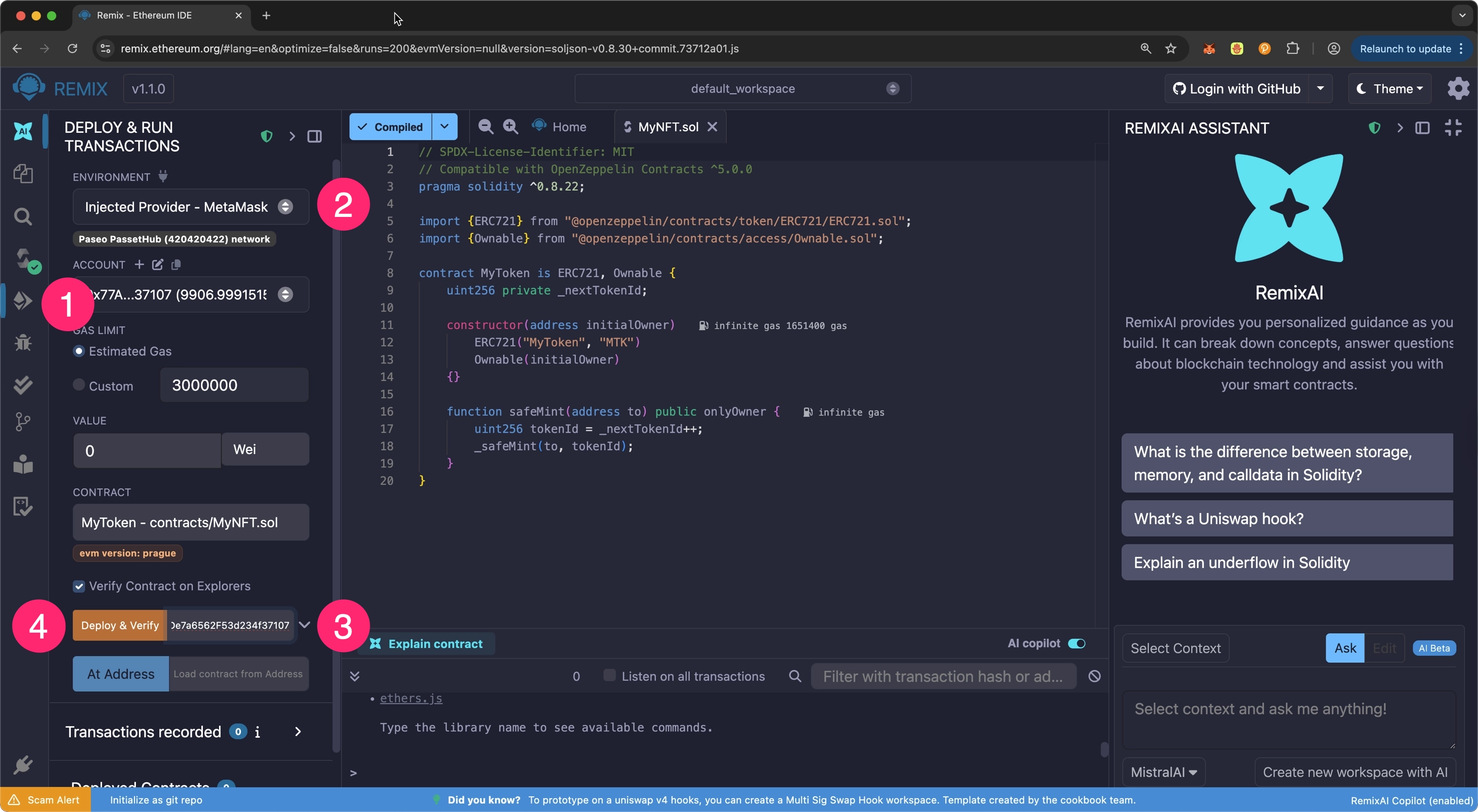
Once successfully deployed, your contract will appear in the Deployed Contracts section, ready for interaction.
Congratulations! You've successfully deployed an ERC-721 NFT contract to Polkadot Hub TestNet using Remix IDE. Consider the following resources to build upon your progress.
Where to Go Next
-
Guide Deploy an ERC-20
Walk through deploying a fully-functional ERC-20 to Polkadot Hub using Remix.
| Created: January 14, 2026