Deploy a Basic Contract with Remix IDE
Introduction
This guide demonstrates how to deploy a basic Solidity smart contract to Polkadot Hub using Remix IDE, which offers a visual, browser-based environment perfect for rapid prototyping and learning. It requires no local installation and provides an intuitive interface for contract development.
Prerequisites
Before you begin, ensure you have the following:
- A basic understanding of Solidity programming.
- An EVM-compatible wallet connected to Polkadot Hub. This example utilizes MetaMask.
- Test tokens for gas fees, available from the Polkadot faucet. See Get Test Tokens for a guide to using the faucet.
Locate Your Contract
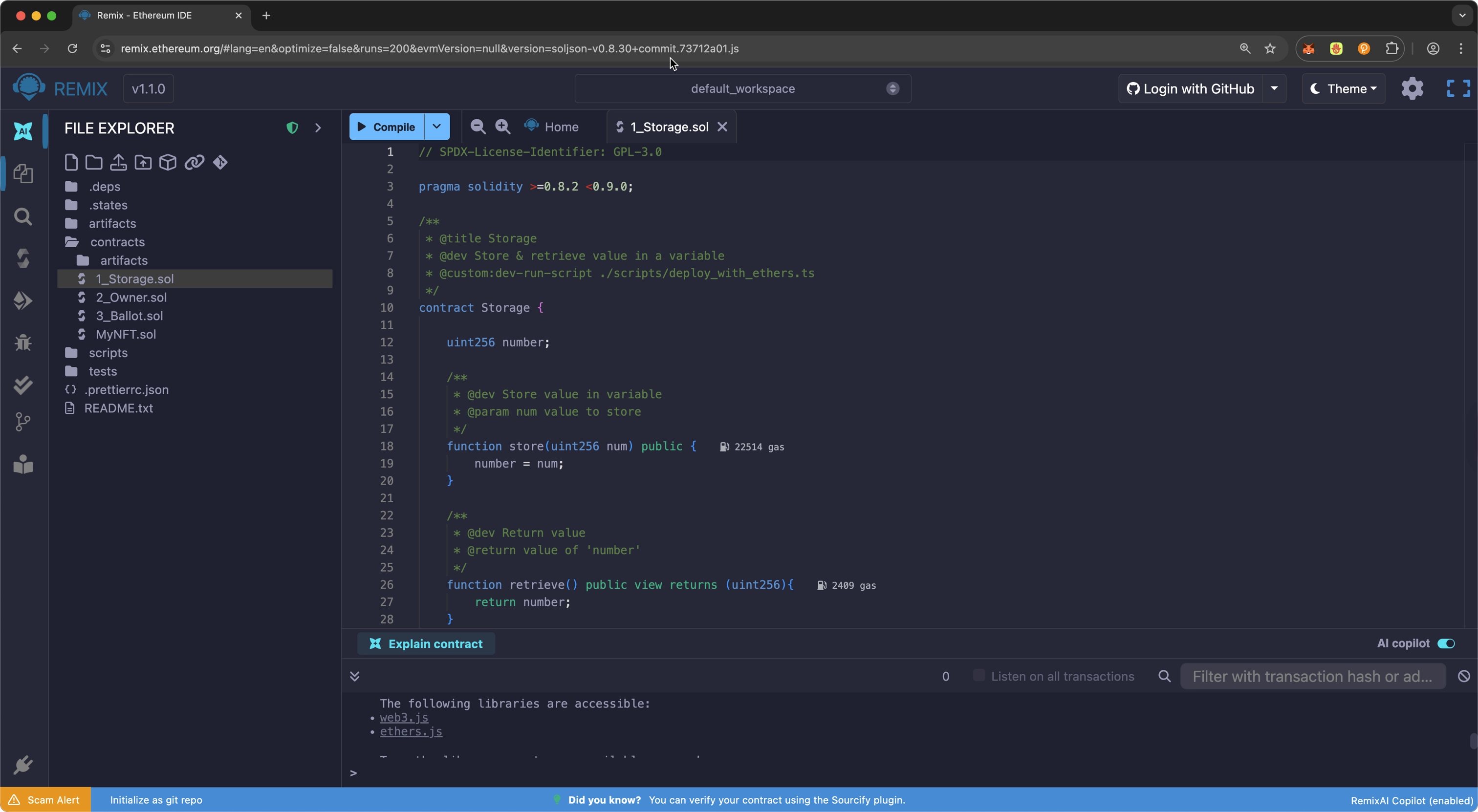
This guide uses a default contract contract provided by Remix IDE. Follow these steps to locate the contract in Remix:
-
Navigate to Remix IDE in your web browser.
-
Once the default workspace loads, locate the
contractsfolder. Insidecontracts, locate theStorage.solfile which you will use as your sample contract throughout this guide.
Compile the Contract
Solidity source code compiles into bytecode that can be deployed on the blockchain. During this process, the compiler checks the contract for syntax errors, ensures type safety, and generates the machine-readable instructions needed for blockchain execution.
Ensure your Storage.sol contract is open in the Remix IDE editor, and use the following steps to compile:
- Select the Solidity Compiler plugin from the left panel.
- Select the Compile Storage.sol button.
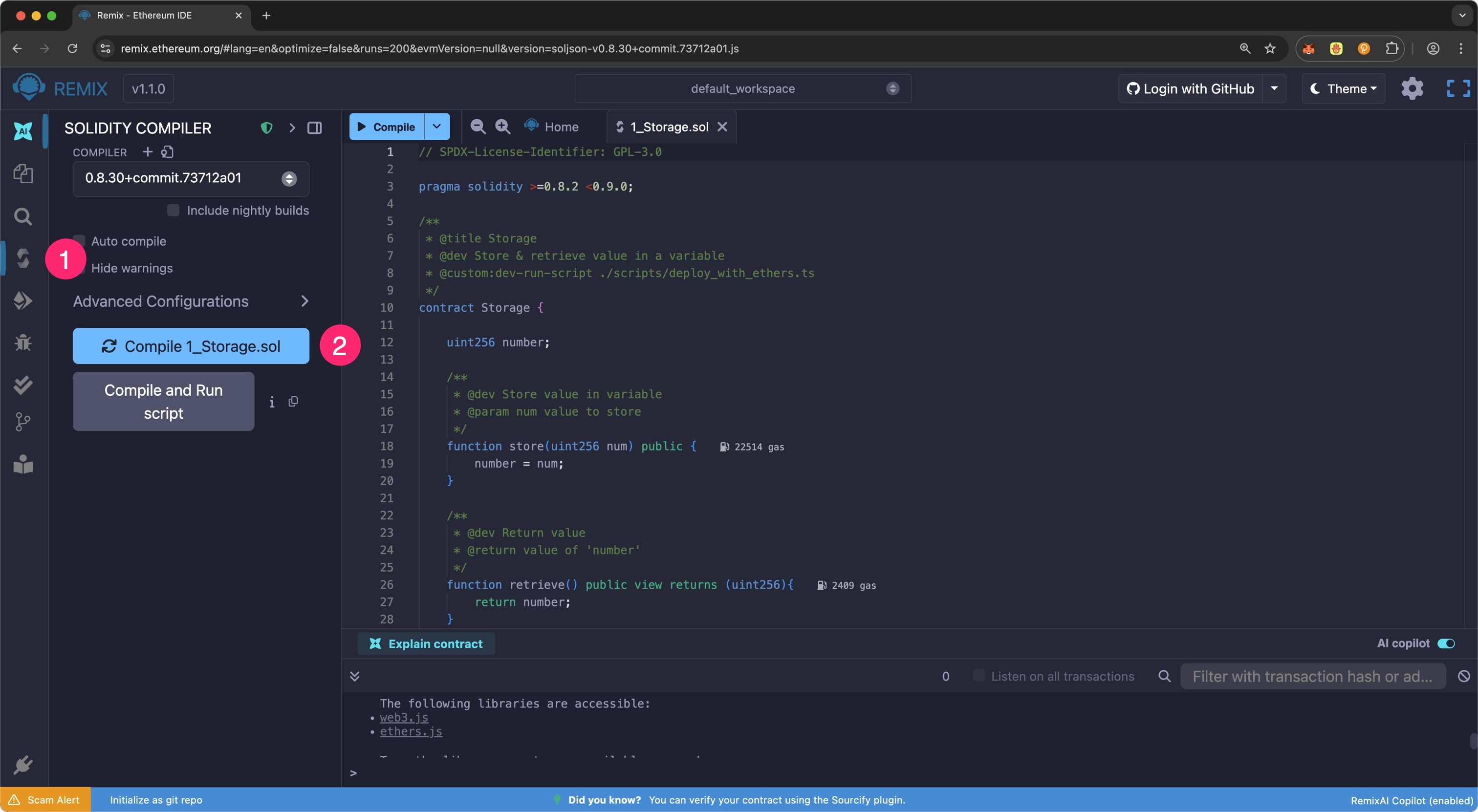
The Solidity Compiler icon will display a green checkmark once the contract compiles successfully. If any issues arise during contract compilation, errors and warnings will appear in the terminal panel at the bottom of the screen.
Deploy the Contract
Follow these steps to deploy the contract using Remix:
- Select Deploy & Run Transactions from the left panel.
- Ensure your MetaMask wallet is connected to Polkadot Hub TestNet, then select the Environment dropdown and select Injected Provider - MetaMask.
- Select the Deploy button to initiate the deployment.
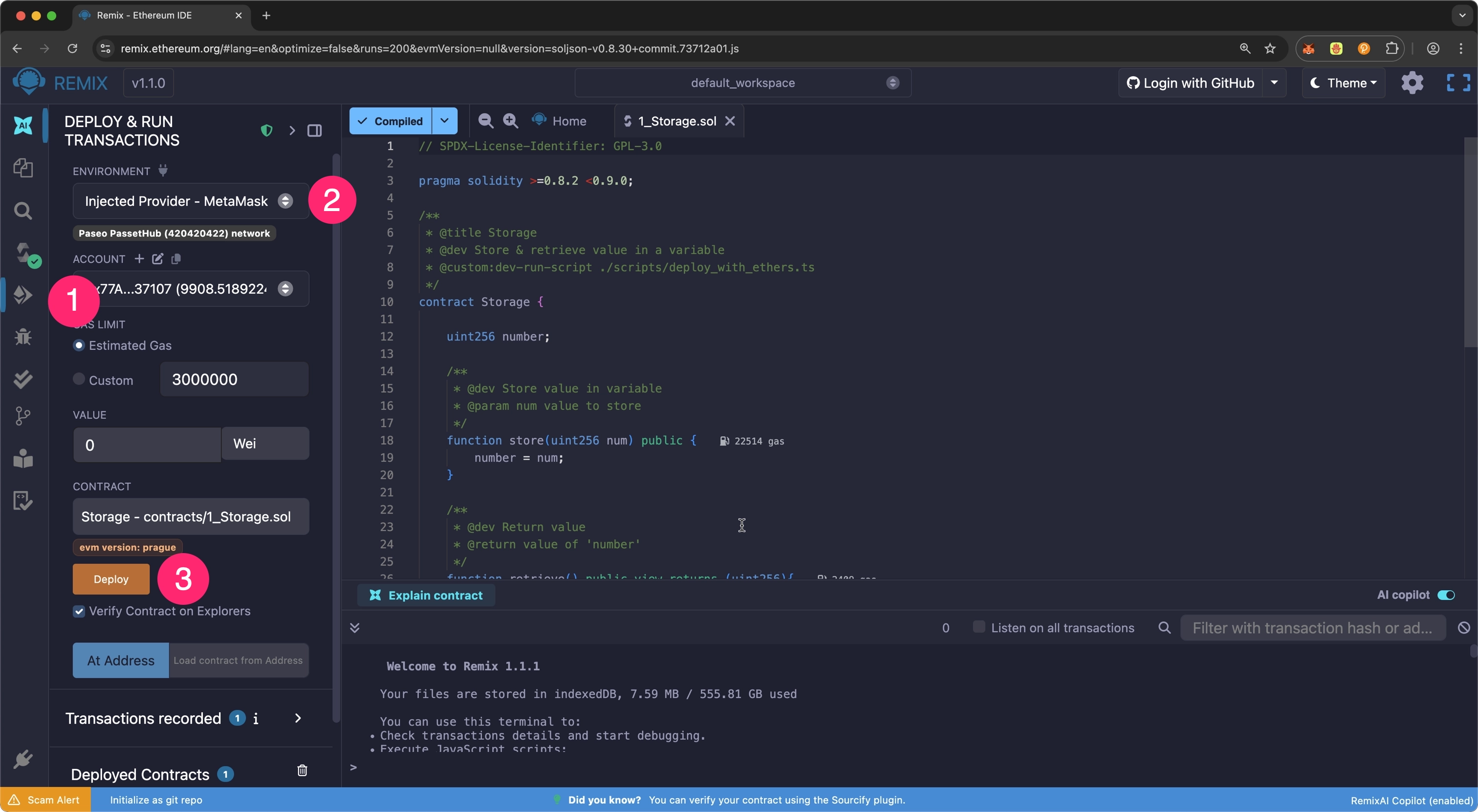
When prompted, approve the transaction in your MetaMask wallet. After the deployment succeeds, the terminal will display the transaction details, including the contract address and transaction hash, and your contract will appear in the Deployed Contracts section.
Congratulations! You've successfully deployed a basic smart contract to Polkadot Hub TestNet using Remix IDE. Consider the following resources to build upon your progress.
Where to Go Next
-
Guide Deploy an ERC-20
Walk through deploying a fully-functional ERC-20 to Polkadot Hub using Remix.
-
Guide Deploy an NFT
Walk through deploying an NFT to Polkadot Hub using Remix.
| Created: January 14, 2026