ERC20 Precompile
Introduction
The ERC20 precompile provides a standard ERC20 token interface for interacting with assets managed by the Assets pallet, helping smart contracts to interact with native Polkadot assets (such as USDT, USDC, and other tokens) using familiar Ethereum-style ERC20 calls.
Each asset in the Assets pallet is mapped to a unique precompile address based on its asset ID. The precompile implements core ERC20 functionality:
- Token transfers: Send assets between accounts using standard
transferandtransferFrommethods. - Approvals and allowances: Manage spending permissions with
approveandallowance. - Balance queries: Check token balances with
balanceOfand total supply withtotalSupply.
Precompile Interface
The ERC20 precompile implements a subset of the standard ERC20 interface. The following functions are available:
// SPDX-License-Identifier: MIT
pragma solidity ^0.8.0;

interface IERC20 {
    // Implemented functions
    function totalSupply() external view returns (uint256);
    function transfer(address to, uint256 amount) external returns (bool);
    function balanceOf(address account) external view returns (uint256);
    function allowance(address owner, address spender) external view returns (uint256);
    function approve(address spender, uint256 amount) external returns (bool);
    function transferFrom(address from, address to, uint256 amount) external returns (bool);
}
Metadata Functions Not Available
The optional ERC20 metadata functions (name(), symbol(), decimals()) are not implemented in this precompile. These functions are only available through the Assets pallet's storage, not via the ERC20 interface.
Query Functions
Get Total Supply
Returns the total number of tokens in circulation for this asset.
Returns:
uint256: The total supply of tokens
Example usage:
IERC20 token = IERC20(0x000007C000000000000000000000000001200000);
uint256 supply = token.totalSupply();
Get Balance
Returns the token balance of a specific account address.
Parameters:
account: The address to query
Returns:
uint256: The token balance of the account
Example usage:
IERC20 token = IERC20(0x000007C000000000000000000000000001200000);
address user = 0x1234567890123456789012345678901234567890;
uint256 balance = token.balanceOf(user);
Check Allowance
Returns the amount of tokens that the spender is allowed to spend on behalf of the owner.
Parameters:
owner: The account that owns the tokensspender: The account authorized to spend
Returns:
uint256: The remaining allowance
Example usage:
IERC20 token = IERC20(0x000007C000000000000000000000000001200000);
address owner = 0x1111111111111111111111111111111111111111;
address spender = 0x2222222222222222222222222222222222222222;
uint256 remaining = token.allowance(owner, spender);
Token Operations
Transfer Tokens
Transfers tokens from the caller's account to the recipient address.
Parameters:
to: The recipient addressamount: The amount of tokens to transfer
Returns:
bool:trueif the transfer was successful
Example usage:
IERC20 token = IERC20(0x000007C000000000000000000000000001200000);
address recipient = 0x3333333333333333333333333333333333333333;
uint256 amount = 1000 * 10**10; // Assuming 10 decimals

bool success = token.transfer(recipient, amount);
require(success, "Transfer failed");
Warning
The transfer will fail if the caller doesn't have sufficient balance.
Approve Spending
Approves the spender to withdraw up to a specified amount from the caller's account.
Parameters:
spender: The address authorized to spend tokensamount: The maximum amount the spender can withdraw
Returns:
bool:trueif the approval was successful
Example usage:
IERC20 token = IERC20(0x000007C000000000000000000000000001200000);
address spender = 0x4444444444444444444444444444444444444444;
uint256 amount = 500 * 10**10;

bool success = token.approve(spender, amount);
require(success, "Approval failed");
Transfer From
Transfers tokens from one account to another using the allowance mechanism. The caller must have sufficient allowance from the from account.
Parameters:
from: The account to transfer fromto: The recipient addressamount: The amount of tokens to transfer
Returns:
bool:trueif the transfer was successful
Example usage:
IERC20 token = IERC20(0x000007C000000000000000000000000001200000);
address owner = 0x5555555555555555555555555555555555555555;
address recipient = 0x6666666666666666666666666666666666666666;
uint256 amount = 250 * 10**10;

bool success = token.transferFrom(owner, recipient, amount);
require(success, "Transfer from failed");
For the complete implementation, refer to the ERC20 precompile source code in the Polkadot SDK.
Interact with the ERC20 Precompile
To interact with the ERC20 precompile in Remix IDE:
- Create a new file called
IERC20-precompile.solin Remix -
Copy and paste the
IERC20interface code shown above into the file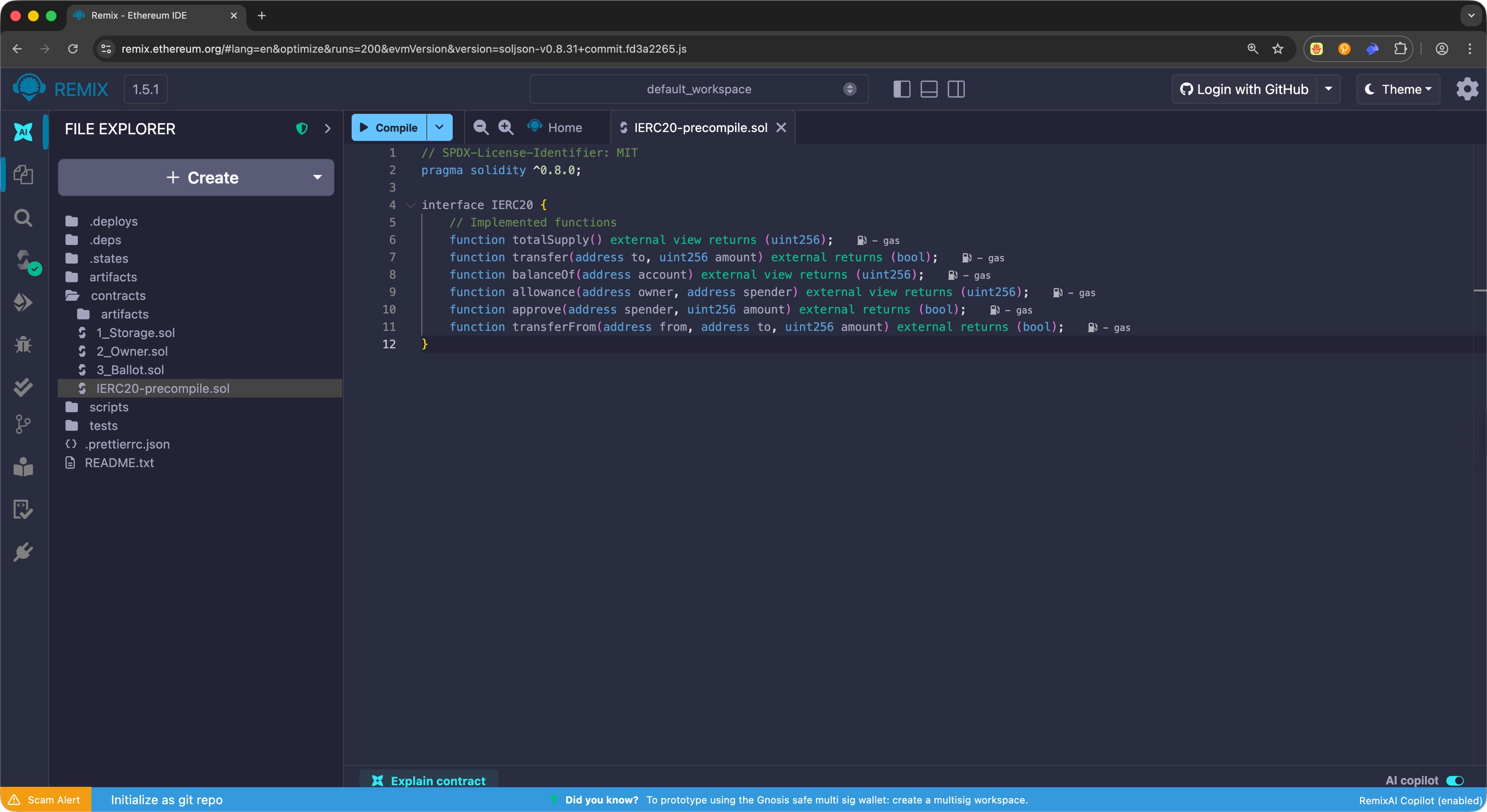
-
Compile the interface by selecting the compile button or using Ctrl + S
-
Calculate the ERC20 precompile address for your asset using the Asset ID to ERC20 Address converter above
- Each asset has a unique address based on its asset ID
- Format:
0x[assetId (8 hex)] + [24 zeros] + [prefix (8 hex)] - Example: Asset ID
1984(USD Tether) →0x000007C000000000000000000000000001200000
-
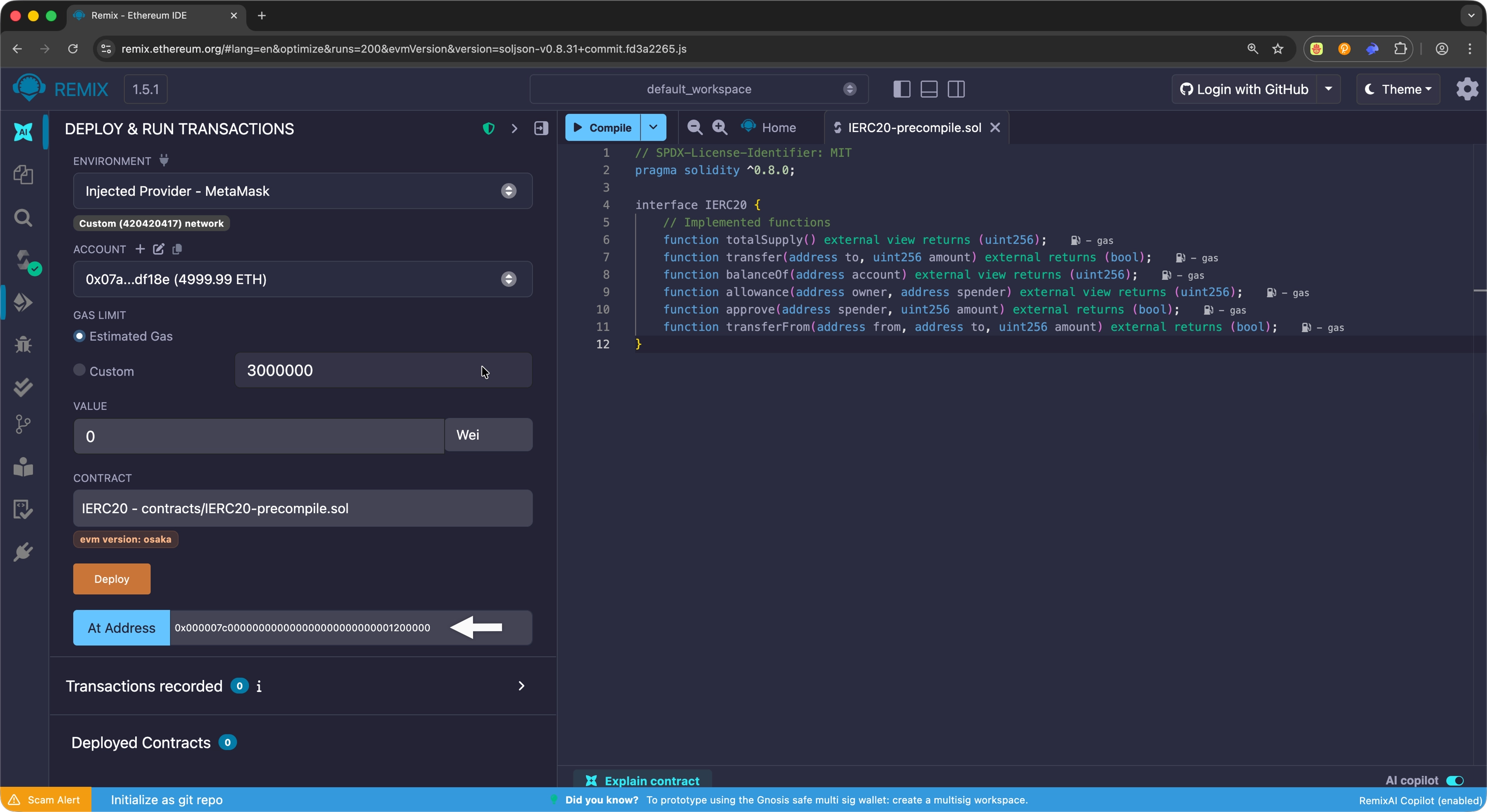
In the Deploy & Run Transactions tab, select the
IERC20interface from the contract dropdown - Enter the calculated precompile address in the At Address input field
-
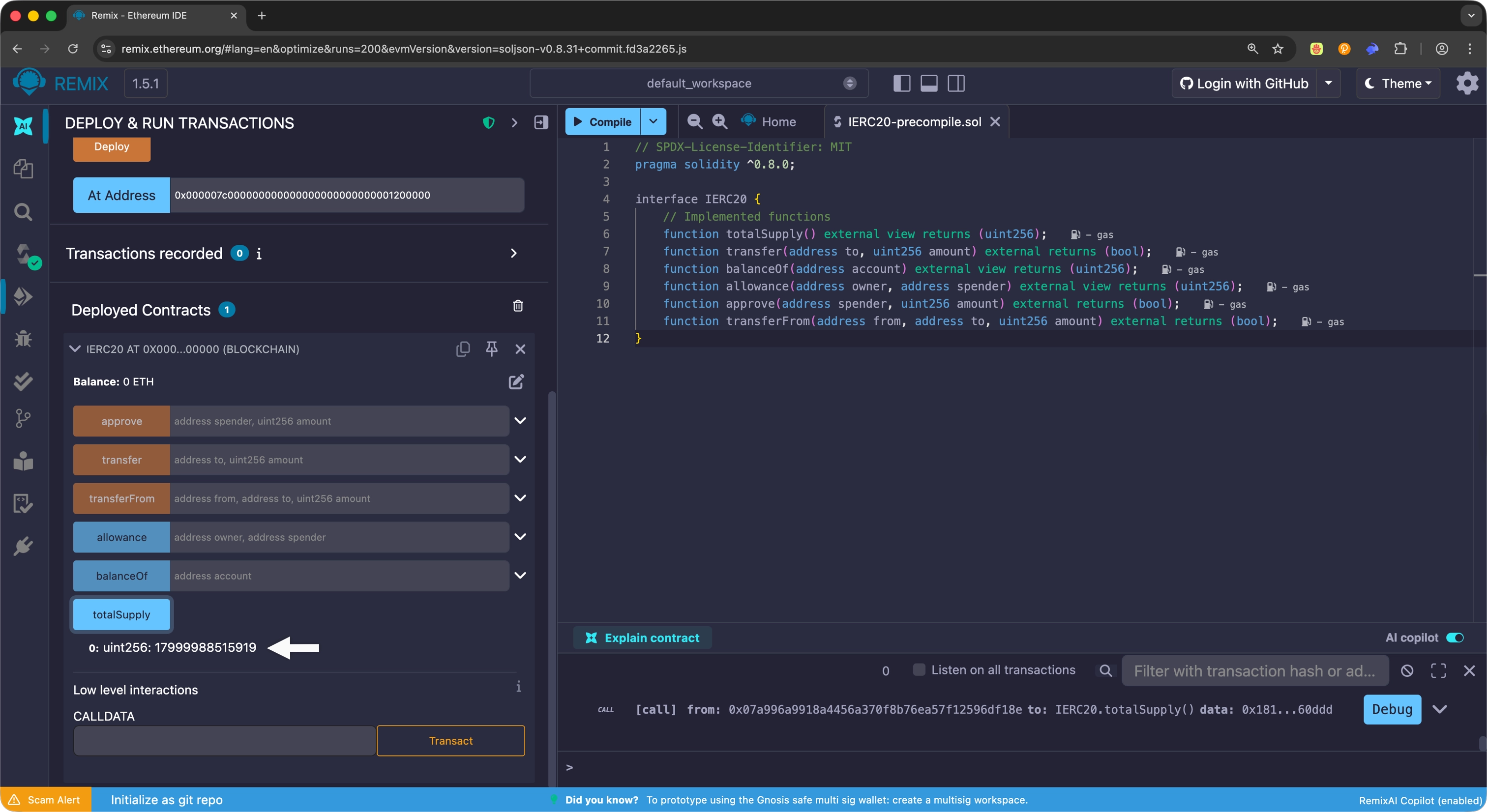
Select the At Address button to connect to the precompile
Once connected, you can interact with any of the ERC20 precompile functions directly through the Remix interface.
Conclusion
The ERC20 precompile provides seamless integration between Polkadot's native asset management and Ethereum's familiar token standard. By mapping asset IDs to deterministic precompile addresses, developers can interact with native Polkadot assets using standard ERC20 interfaces.
Whether you're building DeFi protocols, token swaps, or any application requiring asset interactions, the ERC20 precompile enables you to leverage Polkadot's rich asset ecosystem with the same tools and patterns used in Ethereum development.
Reference
| Created: January 29, 2026